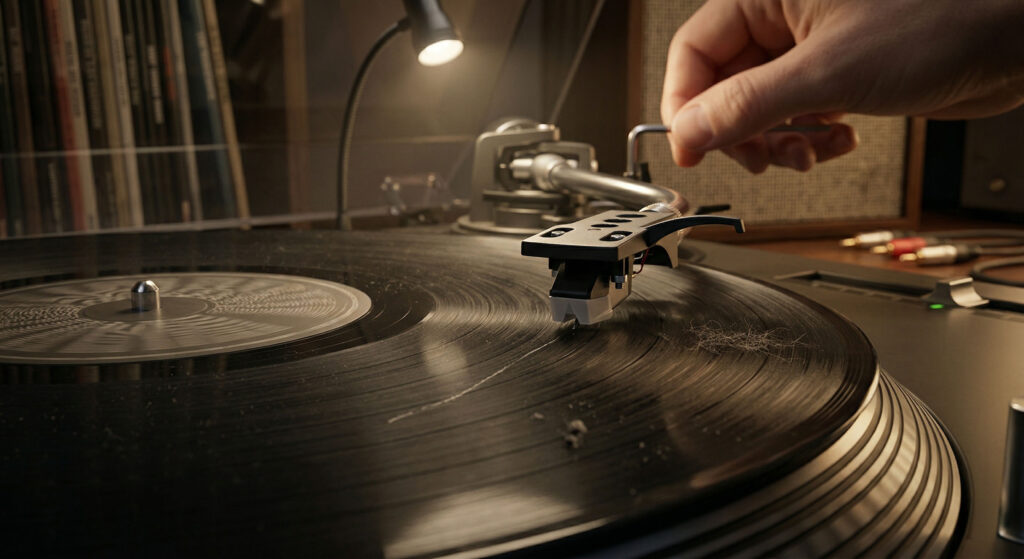
1. Dirty record or dirty stylus — by far the most common cause. Clean both before anything else.
2. Tracking force too low — stylus can’t stay in groove on dynamic passages.
3. Vibration from speakers or floor — physical shock reaching the platter.
4. Warped record — groove rises and falls, stylus loses contact.
5. Damaged groove or deep scratch — a groove wall is physically missing or blocked.
6. Worn stylus — tip is rounded and can no longer track accurately.
Record skipping is the most searched-for vinyl problem online — and the most solvable. In almost every case, the cause is one of six things, and most of them can be identified and fixed within minutes. The key is working through them in the right order, starting with the simplest and cheapest possibilities before assuming the worst.
Does It Skip Everywhere — or Only in One Spot?
The answer to this question immediately narrows down the cause.
No, skips randomly → Cause is in the setup or environment: dirty stylus, tracking force, or vibration. See Causes 1, 2, and 3.
Only one record → Problem is with that record: dirt, scratch, or warp specific to that pressing.
No pattern → General tracking problem — start with cleaning.
Every Cause of Record Skipping, Diagnosed and Fixed
Most common
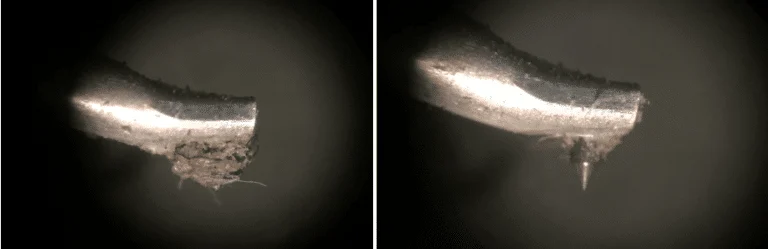
A dirty stylus is particularly insidious because it also packs debris into the groove with each pass, worsening the record over time. What started as a dusty record can become a record with embedded grime after repeated plays on a dirty stylus.
Clean the record with a carbon fibre anti-static brush before every play — sweep in the groove direction (circular). Clean the stylus with a dry stylus brush (front to back only, never side to side). For a record with embedded dirt, use a wet cleaning solution and let it dry completely before playing. This single step resolves the majority of skipping complaints.
Very common
Counterintuitively, too-light tracking force causes more record damage than correct or slightly-heavy force — because the stylus bounces and skates unpredictably across the groove walls instead of riding smoothly through them.
Check your cartridge’s recommended tracking force range — it’s printed on the cartridge or in its manual. Set the counterweight to the middle of the recommended range (e.g., if the range is 1.5–2.5g, try 2.0g). For maximum accuracy, use a digital tracking force gauge ($15–25). On fixed-force record players that can’t be adjusted, this cause doesn’t apply.
Common
This is why audiophiles place record players on wall-mounted shelves, thick isolation platforms, or purpose-built furniture like the Arkrocket Statio Audio Rack — isolating the turntable from the mechanical environment around it.
Move the record player away from speakers — ideally to a separate surface. Place isolation feet (sorbothane pads) under the record player. If using a floating wooden floor, consider a wall-mounted shelf. Test by playing at lower volume — if skipping stops, the cause is vibration from the speakers at higher output levels.
Common with older records
Warping is caused by heat (a car interior, direct sunlight, near a radiator), horizontal stacking under weight, or manufacturing defects. Colored and transparent vinyl pressings are more prone to warping than standard black vinyl.
Mild warp: try increasing tracking force slightly to help the stylus stay in contact through the warp. For more severe warps: a vinyl flattening device (such as the Vinyl Flat) applies controlled heat and pressure to gradually restore flatness. Place between two heavy books inside a sleeve for minor warps — weeks of pressure can sometimes improve mild cases. Deep warps are often permanent.
Occasional
Surface scratches — the fine circular marks visible on most used records — cause pops and noise but rarely cause outright skipping. It’s the cross-groove scratches (perpendicular to the groove direction) that cause skipping.
First: clean the record thoroughly — what looks like a scratch may be a groove packed with debris. If the skip persists after cleaning, inspect under a bright LED at a low angle. A groove obstruction (not a true scratch) can sometimes be cleared with a very fine wooden toothpick, carefully dragged along the groove under magnification. True scratches that remove groove material cannot be repaired — the information is gone.
Gradual — easy to miss
The general guideline is 500–1,000 hours of play before replacement, but this varies significantly with tracking force, record cleanliness, and stylus type. A stylus played on dirty records wears out far faster than one played on clean records at correct tracking force.
Replace the stylus. Most cartridges have a user-replaceable stylus that snaps on and off without tools ($20–80 for most MM cartridges). If skipping appeared gradually rather than suddenly and you’ve owned the record player for more than two years of regular use, stylus wear is the most likely cause. When in doubt, replace the stylus before buying a new record player.
New Record Skipping — A Different Problem
When a brand new record skips, the cause is almost never the record itself — it’s almost always the record player setup. A new record should play without skipping on a properly set-up machine. If yours doesn’t, work through this checklist:
1. Is the stylus protector removed? A tiny plastic cap ships on the stylus — playing with it on produces muffled sound or no tracking at all.
2. Is the Phono/Line switch set correctly? Wrong switch position produces a weak signal that can cause the cartridge to mistrack.
3. Is the record player on a level surface away from speakers?
4. Has the tonearm been balanced and tracking force set? On a new adjustable record player, the counterweight may not be set from the factory.
5. Is the record itself clean? Even new records can have pressing residue in the grooves — a quick brush before first play is good practice.
This is old advice that circulates endlessly online. Adding a coin adds 2–5 grams to an already-calibrated tracking force — potentially tripling the pressure on your groove walls. It may stop the skipping in the short term by brute force, but it accelerates groove wear significantly. The correct fix is always to identify and address the actual cause, not to add more weight.
Replace Your Stylus — Before It Damages Your Records
If skipping has become a recurring problem and your stylus has seen more than a year of regular use, replacement is the most cost-effective fix. A fresh stylus restores tracking accuracy, eliminates distortion, and protects your records from the groove damage a worn tip causes.
Record skipping is almost always fixable. The majority of cases resolve with cleaning — the record, the stylus, or both. The next most common cause is tracking force set too low, which a five-minute counterweight adjustment corrects. Vibration from speakers and a warped record account for most of the remaining cases. Start with the simplest and cheapest fix first, work systematically, and only assume the worst after ruling out the obvious. Most skipping problems are solved without spending a penny.
Interested in the products mentioned? Shop Arkrocket directly:
Browse Arkrocket Record Players →