Record Player No Sound? 7 Causes and Fixes
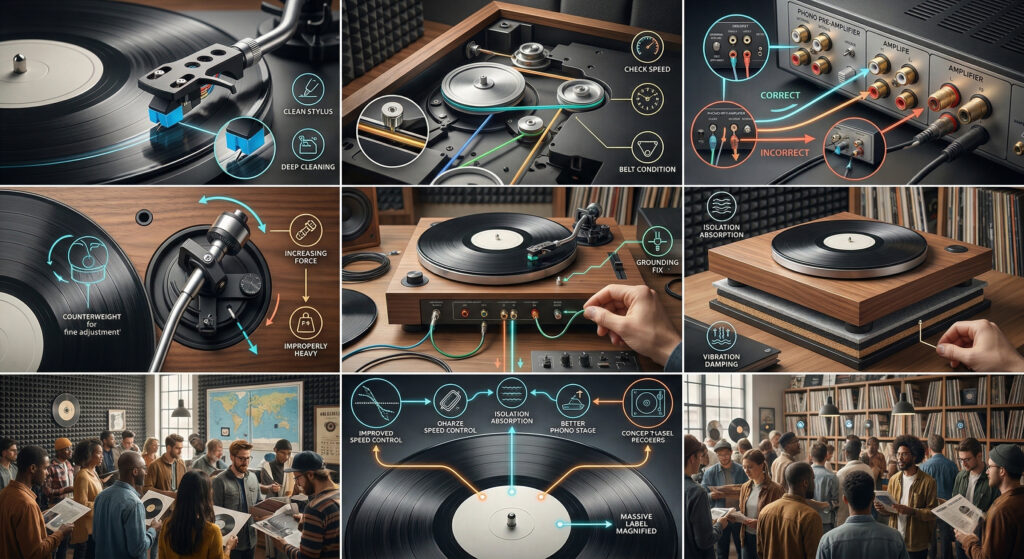
Your record is spinning, the stylus is on the groove, but nothing is coming out of the speakers. This is one of the most common issues new record player owners encounter — and in almost every case, it’s a setup issue rather than a hardware fault. Work through the list below from top to bottom.
Cause #1 — Stylus Guard Still On
Check this first — it’s more common than you think.
Every new record player ships with a plastic guard over the stylus tip. If you haven’t removed it, the stylus can’t make contact with the record groove, and no sound will come out. The platter will spin but the cartridge produces nothing.
Fix: Look at the cartridge from the front. Is there a plastic clip covering the needle tip? Grip it by the sides and slide it forward to remove. Never pull it downward — slide it horizontally.
Cause #2 — PHONO/LINE Switch Wrong Position
If your turntable has a built-in phono preamp (all Arkrocket models do), the PHONO/LINE switch on the back determines how the signal is sent out. In the wrong position, the signal level is wrong for your speakers and you’ll hear little or no sound.
Fix: Check the switch on the back of the turntable:
| You’re connecting to… | Switch should be set to… |
|---|---|
| Powered/active speakers (aux input) | LINE |
| Receiver AUX or LINE input | LINE |
| Receiver PHONO input (has its own preamp) | PHONO |
| Bluetooth (Arkrocket built-in speakers) | LINE |
Cause #3 — RCA Cables Not Connected or Wrong Input Selected
If you’re using external speakers or a receiver, the RCA cables must be connected at both ends — at the turntable and at the speaker/receiver. It’s easy to miss one side. Also check that the receiver or amplifier is set to the correct input (AUX, LINE, CD, etc.) — not PHONO unless you’re using a dedicated phono input.
Fix: Trace the RCA cables from the turntable to the destination. Check both connectors are firmly seated. Check the input selector on your receiver or speakers is set to the input you’ve connected to.
Cause #4 — Volume at Zero
This sounds obvious but catches people regularly. On all-in-one players like the Arkrocket Huygens, there’s a volume control on the unit itself. If it’s turned to zero or very low, you’ll hear nothing even with the stylus correctly in the groove.
Fix: Turn the volume dial on the turntable and/or the connected speakers up to around 50% before testing.
Cause #5 — Bluetooth Mode Active (Arkrocket Models)
On Arkrocket Huygens, Cassini, and Polaris II models, pressing the mode button cycles through input sources. If the unit is in Bluetooth input mode, it won’t play vinyl — it’s waiting for a Bluetooth audio stream from your phone instead.
Fix: Press the mode button to cycle back to the vinyl/turntable input mode. The display or indicator light will change to show the active source. Check your manual for the specific mode indicator for your model.
Cause #6 — Loose Cartridge Pins
The cartridge connects to the tonearm via four small colour-coded pins (red, green, white, blue). These can come loose during shipping or handling, especially on the stylus guard removal. A loose pin means no signal from one or both channels.
Fix: With the stylus guard on, gently inspect the back of the cartridge where it meets the headshell. Are all four wires firmly attached? If one has slipped off, use tweezers to reattach it to the correct pin. Do this gently — the pins are small and fragile.
Cause #7 — Damaged or Worn Stylus
If the stylus tip is broken or missing, the cartridge will produce no signal. Inspect the tip under a magnifying glass. A functioning stylus has a small, intact diamond tip visible at the bottom. A broken stylus may have no tip at all, or a visibly chipped or flattened one.
Fix: Replace the stylus. For Arkrocket players, order the AR-N60 replacement stylus from Arkrocket directly.
Watch: Record Player Setup and No-Sound Troubleshooting
No Sound Checklist
| Check | What to Do | Time |
|---|---|---|
| Stylus guard | Remove the plastic clip from stylus tip | 10 seconds |
| PHONO/LINE switch | Set to LINE for powered speakers | 10 seconds |
| RCA connections | Check both ends firmly connected | 30 seconds |
| Input selector | Set receiver/speakers to correct input | 10 seconds |
| Volume controls | Turn up on both turntable and speakers | 10 seconds |
| Bluetooth mode | Press mode button to return to vinyl input | 10 seconds |
| Cartridge pins | Check all 4 pins firmly attached | 2 minutes |
| Stylus condition | Inspect tip under magnification | 2 minutes |
See also: Fixing Turntable Hum and Buzzing · Why Is My Record Skipping? · Vinyl 101 Free Course
← Back to Fix & Setup