Why Is My Record Skipping? 8 Causes and How to Fix Each One
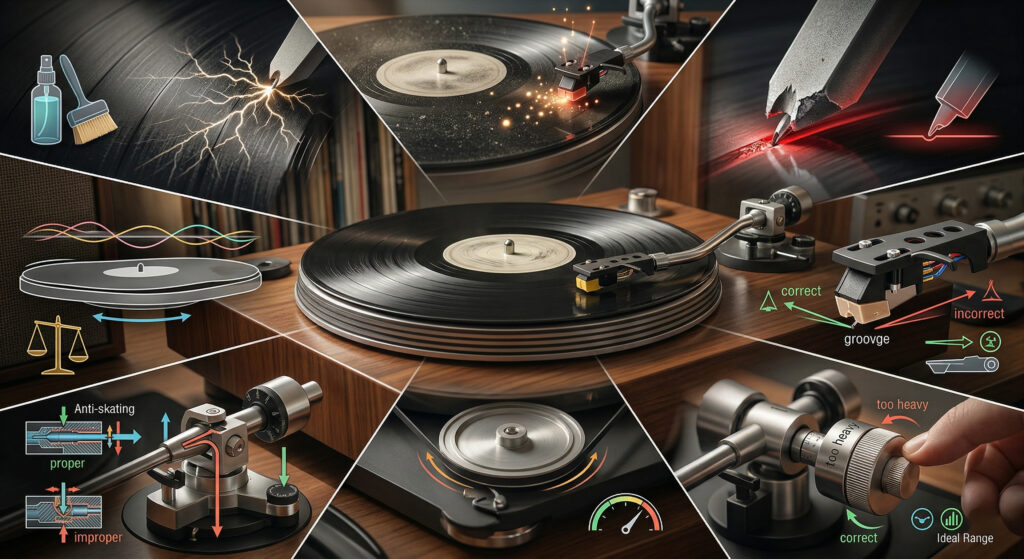
A record that skips is one of the most common problems with turntables — and one of the most fixable. The cause is almost never the record player itself. In most cases, skipping comes down to one of eight issues, most of which can be resolved in under ten minutes without any tools.
Work through this list from top to bottom. The most common causes are listed first.
Cause #1 — Dirty or Dusty Stylus
Most common cause. Check this first.
A dust ball or piece of debris on the stylus tip will cause the needle to jump out of the groove. You’ll often see it with a magnifying glass — a small clump of fluff at the tip.
Fix: Use a stylus cleaning brush (a dry brush swept front to back along the stylus — never side to side). For stubborn buildup, apply a small drop of stylus cleaner to the brush. Never use your finger.
Cause #2 — Tracking Force Too Light
If the stylus isn’t pressing firmly enough into the groove, it will skip, especially on dynamic passages with heavy bass. This is the most common cause of skipping on newly set-up turntables.
Fix: Check your tracking force setting against the cartridge’s recommended range. For Arkrocket AR-N60 cartridges (Cassini, Huygens, Polaris II), the recommended setting is 3.5g. See our full tracking force guide for step-by-step instructions.
Cause #3 — Dirty Record
Dust, grit, or fingerprint oils in the groove can push the stylus out of its path. New records are not always clean — manufacturing residue is common.
Fix: Clean the record before playing. Use a carbon fibre anti-static brush on every record before the needle goes down — a 30-second habit that prevents most skipping. For deeper cleaning, use a record cleaning solution with a microfibre cloth, wiped in a circular motion following the grooves.
Cause #4 — Turntable Not Level
A turntable on an uneven surface will cause the tonearm to drift inward or outward, pulling the stylus out of the groove — especially on loud, dynamic passages.
Fix: Place a spirit level on the platter. Adjust the surface or use adjustable feet under the turntable until the bubble is centred in both directions. Even a 1–2 degree tilt can cause skipping.
Cause #5 — Anti-Skate Set Incorrectly
Anti-skate applies a small outward force to counteract the natural tendency of the tonearm to pull inward. If it’s set too high or too low, it contributes to skipping — especially on the inner grooves of a record.
Fix: Set anti-skate to the same value as your tracking force. If tracking force is 3.5g, set anti-skate to 3.5. If you’re unsure of your current tracking force, set both from scratch using our tracking force guide.
Cause #6 — Warped Record
A warped record creates a wave in the vinyl that the stylus can’t track through. You’ll usually see the platter wobbling up and down as it spins. Skipping happens at the peak of the warp.
Fix: Slightly increasing tracking force (within the cartridge’s maximum range) can help the stylus stay in the groove on mildly warped records. Severely warped records can be flattened by placing them between two heavy flat objects (like hardback books) in a warm room for 24–48 hours. This works on mild warps; severe warps may be permanent.
Cause #7 — Vibration from Speakers
If your speakers are on the same surface as the turntable, their vibrations travel through the surface to the platter and stylus, causing feedback-induced skipping. This is especially common at higher volumes with all-in-one players or when the turntable is on the same shelf as powered speakers.
Fix: Move the turntable to a different surface from the speakers. If that’s not possible, place an anti-vibration mat or a dense foam pad under the turntable to isolate it from surface vibrations.
Cause #8 — Worn or Damaged Stylus
A stylus tip wears down over time. The recommended replacement interval is approximately 500–1000 hours of play, depending on the stylus quality. A worn stylus can’t track grooves correctly and will skip, distort, and damage your records.
Fix: Inspect the stylus tip under a magnifying glass or phone macro camera. A new stylus tip is symmetrical and pointed. A worn one looks flat, chipped, or asymmetrical. Replace with the correct replacement stylus for your cartridge — for Arkrocket players, that’s the AR-N60 replacement stylus.
Watch: Diagnosing a Skipping Record Player
Quick Diagnosis Checklist
| Check This First | What to Look For | Time to Fix |
|---|---|---|
| Stylus tip | Visible dust clump | 30 seconds |
| Tracking force | Set to correct value (3.5g for AR-N60) | 5 minutes |
| Record cleanliness | Visible dust or fingerprints | 2 minutes |
| Turntable level | Spirit level check | 2 minutes |
| Anti-skate | Matches tracking force value | 1 minute |
| Warped record | Visible platter wobble while spinning | Test with another record |
| Speaker vibration | Skipping only at high volume | Move turntable |
| Stylus condition | Flat or chipped tip under magnification | Replace stylus |
See also: How to Set Tracking Force · Vinyl 101 Free Course · Arkrocket Cassini Review
← Back to Fix & Setup